Trending Topics









LeEco leaps to Top 2 brand with most market attention

The figures from the report show that LeEco secured greater percentage of market attention of 25%, and the ranking has remarkable risen to Top 2, right behind Apple now, from the 4th position back in January. It has well surpassed Samsung and other competitors within no more than four months since its first entrance to the market.
LeEco has grabbed heavy attention and disrupted the Indian smartphone industry with the launch of Le 1s and Le Max, making foray into the Indian market in January this year. It has sold 2 lakhs Superphones within 30 days, receiving overwhelming responses from the public and in the first flash sale, 70,000 units of the flagship killer Le 1s were gone within 2 seconds, breaking three industry records and making it the No.1 best- selling smartphones online in India.
More than that, LeEco has a long-term and highly-anticipated plan for India and is committed to bringing the complete vertically-integrated Ecosystem to India. In order to take the user experience to a new height, LeEco has already signed deals with ErosNow for Video-on-demand (VOD) and with YuppTV for TV content streaming. To facilitate the seamless streaming of high-quality content, LeEco plans to invest 10 million USD to set up in-house Content Delivery Networks (CDN) across 10 cities in India by the end of this year. Besides, it has recently applied for the Foreign Investment Promotion Board’s (FIPB) approval to undertake the single brand retail trading of "Le" branded electronic products both through offline stores and e-commerce platform.
Globally, the disruptive Ecosystem business model has proved to be huge success and continued to transform people’s internet lifestyle with best-in-line ecosystem products and services powered by breakthrough technology and comprehensive ecosystem and disruptive pricing. Meanwhile, LeEco announced the pioneering and jaw-dropping “Free Hardware Day” in 14 April and lead the global industry to a brand new era where users should only pay for high-quality services and content, rather than the premium of hardware and the brand. The powerful and highly connected Ecosystem that LeEco boasts has shown enormous potential and attracted partnerships with various world-renowned companies, including establishing the joint-venture with Aston Martin to develop electric vehicles,
and inking strategic cooperation with Faraday Future.
A week ago on 20 April, LeEco unveiled impressive and long-awaited new range of products in Beijing, being the first internet ecosystem company in the world to release products belonging to distinct industries-electric vehicle, smartphone, TV, and VR. It has wowed the world, showcasing LeSEE’s first self-driving concept car and launching the ground-breaking second generation Superphones-Le 2, Le Max2 and Le 2Pro, the 4th generation Super TVs, LeVR device and the latest eUI 5.8 OS.
As the world’s first phone to come with USB Type-C audio port supported by CDLA (Continual Digital Lossless Audio) technology, the new Superphones have received a historic-high 23 million registrations, and achieved sales of 1.22 billion RMB (188 million USD), with a whopping 1 million units sold out in two hours after its first official sale kicks off across all platforms at 10am, 26 April, 2016. LeEco has broken two industry records as the fastest sales with the largest amount in China, and created a new record on JD. com with the biggest sales amount in a single day. Within 24 hours, the total sales of Superphones mount to 1.61 million units, breaking the sales of more than 1.9 billion RMB (293 million USD), which is unprecedented in the industry.

How to Recover Deleled Photos from Samsung S7/S7 Edge
The Samsung Galaxy S7 Edge is a dual SIM (GSM and GSM) smartphone Connectivity options include Wi-Fi, GPS, Bluetooth, NFC, 3G, 4G (with support for Band 40 used by some LTE networks in India). Sensors on the phone include Proximity sensor, Ambient light sensor, Accelerometer, and Gyroscope.Â
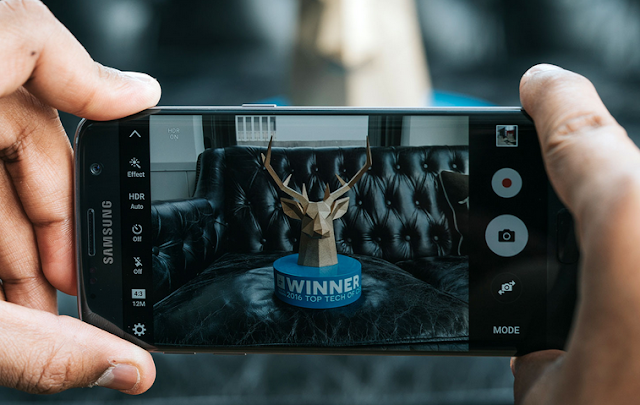
How to Recover Lost/Deleted Photos from Samsung S7/S7 Edge:
We can show you this Samsung Data Recovery which can easily and safely recover delete or lost data including contacts, text messages, videos, photos, call logs, music, whatsapp messages from Samsung Galaxy S7/S7 Edge.
More info:
Method to Recover Deleted Photos from S7/S7 Edge
Â

How to Recover Data from Hard Drive
“Yesterday, I formatted my hard drive on my computer to erase virus from my computer, but forgot to backup some important files, can I recover them? There are some precious photos, Excel documents, etc. they are important to me. How to recover lost files from hard drive?”—Jessica When we are using our computer, we may lose files due to various reasons, formatting in one of the reasons. So, can we recover deleted files from hard drive? This article will show you the solution. In fact, the system on the hard drive does not erase the deleted files immediately after you deleted the files from your computer, the deleted files are still on your computer, but inaccessible to general users, and the space they occupy is labeled as free to use. So, as long as the deleted data are not overwritten by new files, How to copy Message from iPhone to iPhone/ from android to android you get a chance to restore them. The tool you need is the Data Recovery. Data Recovery is a professional tool to recover files from hard drive, USB drive, SD card, and other storage devices. With the help of this tool, you can easily restore deleted files from your HDD. This program provides four recovery modes to restore lost data, below is the guide. Firstly, download the data recovery tool as per your computer’s OS. Mac and Windows versions are available here. After you install the Data Recovery for hard drive, run it. You can see four recovery modes in the home window. You are recommended to try the first mode first for it can fast recover lost data. This mode will carry out a quick scan to find the deleted files on your hard drive and recover them with the original file names. Next, select the disk you lost files to scan. All disks including the external drives will be listed in the window. If you are trying to recover data from external hard drive, connect the drive to your computer before run this program, pc to android file transfer software or hit Refresh drives if the drive is not displayed. After the scan, you will see all recoverable files displayed in the left sidebar, open the folders to check the files you need. You can preview images, and documents. Select the files you need and click Recover to save the recovered files to your computer. Note: Do not save the recovered files to the disk where you lost data, or, it may overwrite some delete data on the disk. Guide on Recovering Deleted Data from Hard Drive
Step 1. Choose a data recovery mode
Step 2. Select disk to scan
Step 3. Recover deleted data from hard drive


How to Transfer Music from Samsung Galaxy to iPhone 6s
Many people, especially youngster, like editing and creating their own songs or music with some useful and fabulous music-editing apps on Samsung smartphone, for instance Galaxy S6/ S6 Edge, Galaxy Note 4. However, if you buy a new iPhone 6s and you want to transfer the edited music from Samsung device to your iPhone 6s, how could you get it done? I guess you will firstly save the songs from Samsung to PC/Mac, then,mobiletrans import the music into iTunes and sync iPhone 6s with iTunes Library. This is exactly a workable solution yet inconvenient. Here is another way helping you to directly transfer music from Samsung devices to iPhone 6s.
TunesGo is a professional tool which supports you to straightforwardly transfer music in between iPhone and Android, iTunes and Android as well as iOS and iOS. Besides, it also enables you to download song tracks from YouTube, manage and organize albums in iTunes.Tutorial about Transferring Music from Samsung to iPhone 6s
Step 1 Download and Install TunesGo
Hit the buttons to download the software on your computer: Windows users click the left button and Mac users the right one. When download finished, set up the program.
Step 2 Plug Samsung and iPhone 6s in the Computer
Run the TunesGo on the computer after installation. Connect both your Android and iOS device to PC/Mac via USB cable.
For Samsung device, you need to enable USB debugging on the phone so as to build the connection.
1) For Android 4.2 or newer: Go to "Settings" > "About Phone" on your Samsung. Press "Build number" for several times until "You are under developer mode". Then enter "Settings" again, and choose "Developer options" > "USB debugging".
2) For Android 3.0 to 4.1: Go to "Settings" > "Developer options" > "USB debugging".
3) For Android 2.3 or earlier: Go to "Settings" > "Applications" > "Development". Check "USB debugging".
When it's connected, you can see it as the below interface.
As for iPhone, you need to tap "Trust" in the phone screen to build the connection.
Step 3 Copy Music from Samsung to iPhone 6s
Click the Samsung device in the left menu and hit the "Music" option under the Samsung panel to open the playlists. All the songs in Samsung Galaxy will be listed in the main window. Select the songs you want to transfer and click the "Export" button. A pop-up box will show you three options, how to transfer candy crush to new iphone hit "Export to iPhone 6s (the name of your iPhone)", the selected music will start transferring from Samsung Galaxy to iPhone 6s. 
More Feature: Manage iTunes Library
TunesGo also works as the iTunes Library manager. With it, you can fix the missing and inaccurate tags and covers of iTunes music. Clean up duplicated songs as well as remove missing tracks.
There are more impressive features on TunesGo waiting for your exploration. Hurry to download it and give it a shot.


(Complete Build, Not Just The Cabinet) < $1500 Rig That Will Make Your Games Run Like Hell
Yo guys, I have a rig for those looking for a massive gaming PC under 100K, you can overlock it and can run most games under 'Ultra' settings or if not then definitely under 'High' settings and it might perform better than your 150K Alienware, so here go: CPU: Intel Core i5-4690K 3.5GHz Quad-Core Processor CPU Cooler: Corsair H55 57.0 CFM Liquid CPU Cooler Motherboard: MSI Z97S SLI Krait Edition ATX LGA1150 Motherboard RAM: Corsair Vengeance 8GB (2 x 4GB) DDR3-1600 Memory Storage: Western Digital Caviar Blue 1TB 3.5" 7200RPM Internal Hard Drive Video Card: Asus GeForce GTX 960 2GB Video Card Cabinet: NZXT Source 530 ATX Full Tower Case Power Supply: Corsair CX 430W 80+ Bronze Certified Semi-Modular ATX Power Supply Optical Drive: Asus DRW-24B1ST/BLK/B/AS DVD/CD Writer OS: Microsoft Windows 8.1 Pro - 64-bit (OEM) (64-bit) Wired Network Adapter: TP-Link TG-3468 10/100/1000 Mbps PCI-Express x1 Network Adapter Wireless Network Adapter: Gigabyte GC-WB867D-I 802.11a/b/g/n/ac PCI-Express x1 Wi-Fi Adapter Case Fan: Corsair Air Series AF140 Quiet Edition 67.8 CFM 140mm Fan Monitor: LG 22MP55HQ-P 60Hz 22.0" Monitor Keyboard & Keyboard Bundle: Cooler Master CM Storm Devastator Gaming Bundle Wired Gaming Keyboard w/Optical Mouse Headphones: Logitech G430 7.1 Channel Headset Speakers: Logitech Z313 25W 2.1ch Speakers Grand total: $1380.23 (Rs. 87875.72 at the time of poating this thread) And what's the good thing? The good thing is that now you don't need anything else to complete the build and you can play games on it as soon as you build it, this contains everything and the build is very flexible too! See the build price and buy it if you like: http://pcpartpicker.com/p/XXF7Bm And the same build with Intel Core i7-4790K 4.0GHz Quad-Core Processor ($1493.79 or Rs. 95199.16 at the time of posting this): http://pcpartpicker.com/p/qPhCcf Note: You have to buy the build from Amazon.com (Well, it ships to India) because some parts weren't available in Indian online stores so, yeah, that's it, enjoy and show off in front of your friends with such an affordable price (Well, only for some hardcore and rich gaming fans) 
hudl2 - The Best Android Tablet Under ₹10000
Some of you people would be aware of the hudl2 but many would not, today people want large screens to show off at an affordable price so here comes the hudl2, a tablet by Tesco, this is the best tablet under ₹10000, it's priced at £99 (₹9702.73 at the time of posting this thread). It is a feature packed tablet, so if you can manage to get your hands onto it, I'll recommended to go for it. For the specifications of this tablet and to buy it please visit: http://goo.gl/F2aMfQ