






















Trending Topics

Privacy Display Worth Leaving On All the Time?
I keep switching the Privacy Display feature on and off. I have found this super useful while using it in cafes, the metro, or crowded places. Curious to know if anyone has settled upon permanently enabling or disabling it.

Which Whatsapp privacy setting are you using?
WhatsApp offers several privacy settings to ensure its users remain safe from scams and other cyberthreats. Which ones are you using?

Privacy Display on Galaxy S27 Pro
Reports suggest the Galaxy S27 Pro may feature Samsung's Privacy Display technology, previously seen on Ultra models. It might seem like a niche feature at first, but it could be useful for people who frequently access banking apps, work emails, and personal messages in public.

Samsung Galaxy S26 Ultra's Privacy Display Is Surprisingly Handy at Airports
Busy airports and packed waiting areas are where the Privacy Display feature actually feels useful, especially when people are sitting or standing close by.

Setting the hardware privacy display to trigger automatically for password entry
I recently discovered a useful setting on my phone. When I compare it with earlier Samsung models, the screen looks harder from nearby sides. Whenever I open the lock screen, the display becomes normal again. It looks incredibly seamless. I feel this is much safer and much more convenient.
Samsung Galaxy S26 Ultra Privacy Display to the Rescue
I hate being like an Arjun from ZNMD. When I am travelling, I do not like to open my emails or other stuff related to work. Even if I have to do so, opening sensitive chats and emails is a risk. Well, not anymore since I have bought the S26 Ultra. Its privacy display is a saviour, keeping others from snooping on my screen.
Samsung Galaxy S26 Ultra Privacy Display for Cafes
The most interesting part of the Samsung Galaxy S26 Ultra is its privacy display feature. I visit cafes quite frequently and often worry about my private chats being snooped on by strangers. Upgraded to the Galaxy S26 Ultra recently and found the privacy display to be a really cool addition.

The Privacy Display on the Samsung Galaxy S26 Ultra honestly sounds useful for office use
Thinking of buying Samsung Galaxy S26 Ultra, is it good? Once, I was in a crowded metro and someone tried to look at my phone screen. I saw it has a privacy display which sounds cool. Can it stop someone from snooping on my phone while I am in the office or while commuting?
How to customize the S26 Ultra Privacy Display intensity?
Just discovered that you can actually set Privacy Display to 'Notification Only' mode, so people cannot read your messages, but can still see the video you are watching. How are you guys using it?
Samsung Galaxy S26 Ultra vs S26 Plus: Is the Privacy Display worth the 20k premium?
I often have to work with confidential documents during my commute, so screen privacy is important to me. I want to know if the hardware-level privacy filter on the S26 Ultra is truly effective or if the S26 with a standard privacy screen guard is enough.
Tip: Enable Privacy Display on your S26 Ultra when travelling in the Metro
You can toggle the new hardware-level privacy filter in the quick settings. It makes the screen look dark to anyone sitting next to you. Perfect for working on sensitive emails in public!

For a privacy-focused user, what’s the best way to use an AI chatbot?
Many of us are involved in sharing, sending information through AI chatbots. One of my friends has wanted to share his financial information to one of the bots, but I stopped him. What do you think about how much we should rely on these chatbots? Any tips to use these effectively?
Does Galaxy S26 Ultra’s built-in Privacy Display make a noticeable difference in public?
I just came across the new Samsung Galaxy S26 Ultra and am particularly interested in its built-in Privacy Display feature does it actually make a noticeable difference when using the phone outdoors or in public places? Is the screen harder for others to view from the sides, and is it truly effective?

Samsung Galaxy S26 Ultra Privacy Display Feature
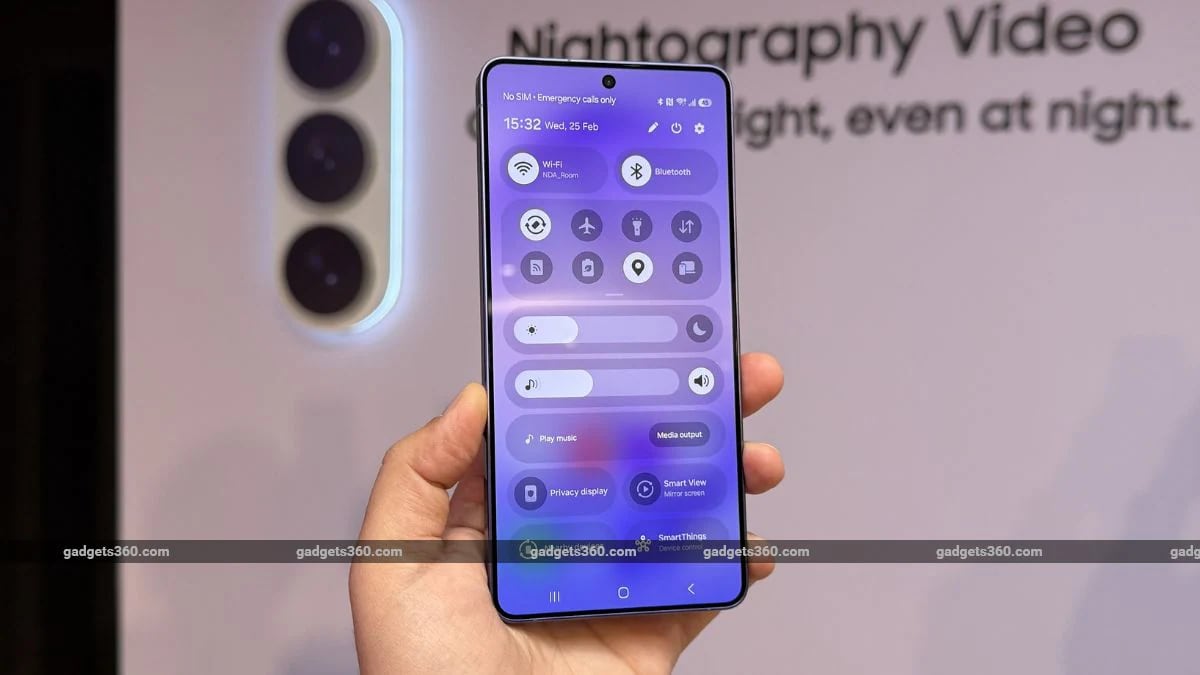
What do you think about thePrivacy Display feature on the Samsung Galaxy S26 Ultra?
According to me, it is a very thoughtful and practical addition.
Is generative AI on phones safe for privacy?
Is generative AI on phones truly safe in terms of privacy? Can anyone share the tips on how to actually secure these systems? Many users have noticed several privacy concerns that become risky in real life. Any suggestions on how to balance conveniently while using AI features?

Galaxy S26 Ultra Privacy Display: Useful Feature or Just a Fancy Gimmick?
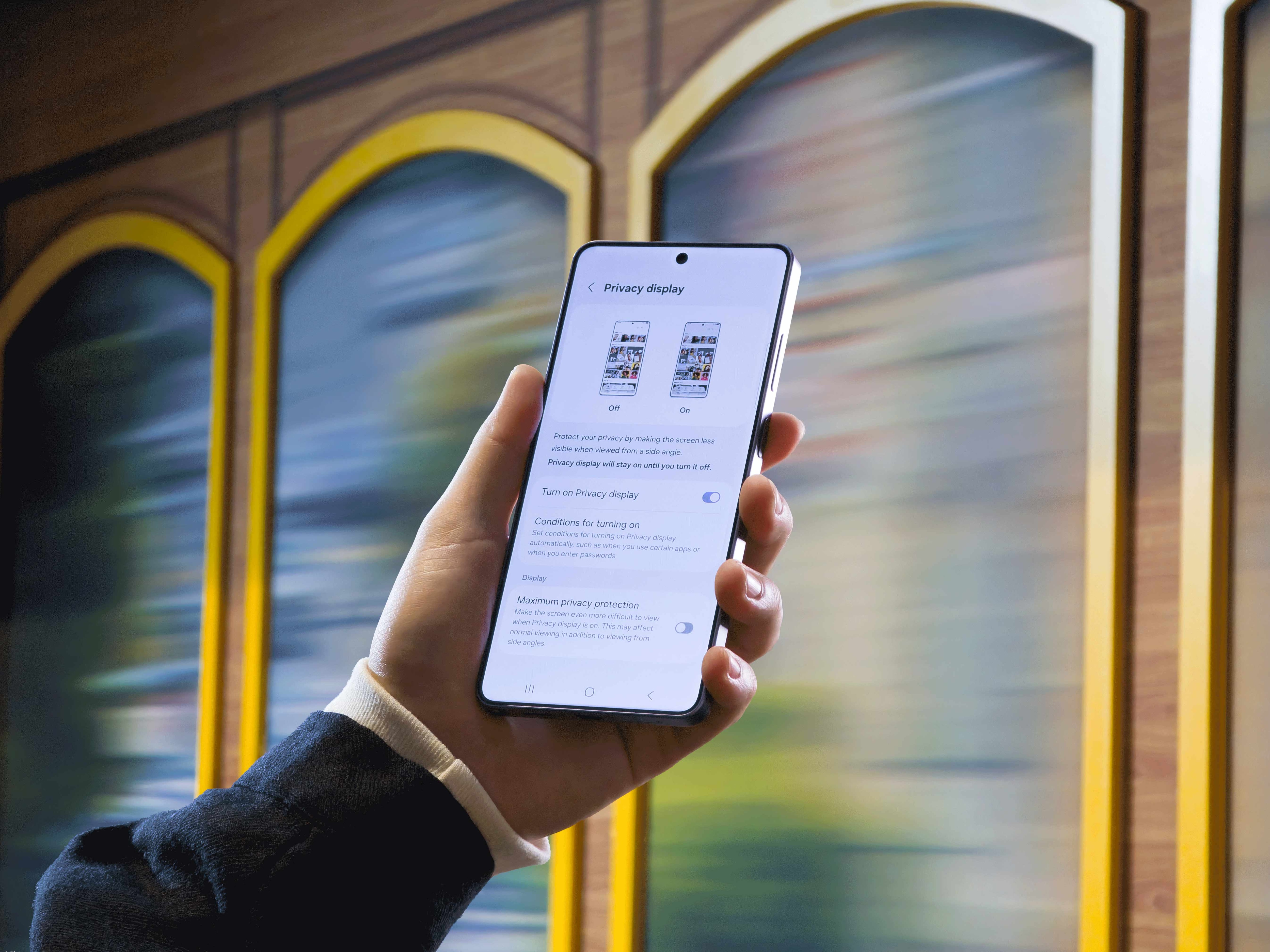
One of the most talked-about upgrades on the Galaxy S26 Ultra is going to be its built-in Privacy Display, designed to limit side viewing without needing a screen protector. Samsung says it can automatically activate while entering passwords, viewing sensitive content, or using selected apps, keeping information visible only to the user. For Indian smartphone users who often use phones in crowded spaces like metros, offices, and cafes, this sounds practical. But how well does it work in real life, and does it affect brightness, color accuracy, or battery life? What do you think?
Can someone help me understand the new privacy display of the Samsung Galaxy S26 Ultra?
I want to keep my notifications private. I&rsquom; most interested in seeing this new feature on the Samsung Galaxy S26 Ultra. My current phone doesn&rsquot; support the display, so I have to use tempered glass. Can someone explain this new privacy feature and how it works?

Crypto Portfolio Tracking Is Becoming a Daily Habit
People who hold cryptocurrencies across multiple exchanges and wallets can struggle to understand their overall financial position. A token may rise in one account while another asset falls elsewhere, making it difficult to calculate total holdings and performance accurately. Portfolio tracking tools can bring this information together, helping users monitor asset allocation, transaction history and changes in value. However, investors still need to check whether the data is accurate and consider privacy before connecting wallets or exchange accounts to third-party services. Do you regularly track your entire crypto portfolio, or do you mostly check the prices of individual coins?
The Rise of Blockchain-Based Reputation
Traditional credit scores help lenders decide whether someone is likely to repay a loan, but they don’t work equally well for people with limited banking histories. Blockchain-based reputation systems could potentially use a person’s on-chain activity to create alternative forms of financial credibility. Repayment history, transaction behaviour or participation in certain financial applications could become part of a digital reputation. The challenge is privacy: people may not want their financial behaviour permanently visible or used to judge them. There is also a risk of confusing wallet activity with someone’s real financial situation. Could decentralised reputation eventually complement traditional credit scoring?
Can Decentralised Identity Become a Crypto Killer App?
Decentralised identity systems aim to let people verify who they are digitally without repeatedly handing personal information to different companies. Blockchain could potentially allow users to carry reusable credentials across financial services, online platforms, and other applications. The challenge is balancing convenience, privacy, and compliance while making the technology simple enough for everyday users. Could decentralised identity become one of crypto’s most important applications outside financial markets?

