






















Trending Topics





Your mobile phone will be safer with this application

 Hello guys, I'd like to share one application we made.
Most downloaded app lock in Play Store. Protect privacy with password, pattern, fingerprint lock.
Â
Applock Aurora allows you to set numeric password or pattern lock to lock individual apps preventing snooper or intruders from accessing or enabling information you want keep private.
Play Store Link:
https://play.google.com/store/apps/details?id=com.freejoyapps.applock.Aurora&referrer=utm_source%3Dforumseo
Â

Â
With Applock Aurora:
Never worry about a friend borrows your phone to play games with mobile data again!
Never worry about a workmate gets your phone to look the gallery again!
Never worry about someone reads private data in your apps again!
Never worry about kids mess up Settings, send wrong messages, paying games again!
Â
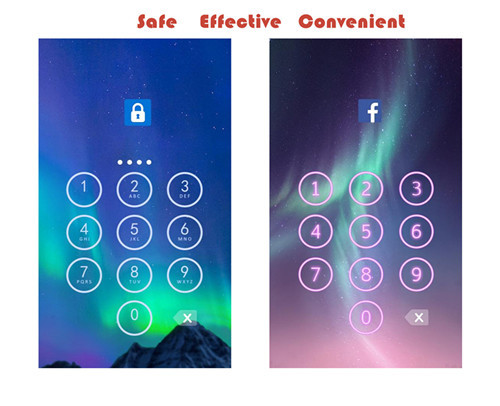
Apps you want lock include:
-System settings
-Call log
-Text messages (SMS)
-Social media accounts like Facebook, Instagram, Twitter, Tumblr, Snapchat etc.
-Contacts
Features of applock password & pattern:
-Private image: hide and encrypt your private photos. Lock them with password lock or pattern lock
-Private video: Hide and encrypt your private videos. Lock them with password as PIN code or pattern
-Lock cover: Disguise your lock screen as something else like calculator, weather, Clock. Force Close & Finger Print screen cover to confuse snoopers or intruders.
-Prevent uninstall: After you enable Advanced Security feature, others are unable to delete this applock password & pattern without your permission. This can better protect your privacy and secret.
Hope you will like it
Thanks a lot!!!!!

My LeEco Le 1s Fingerprint Sensor - The Best Security Feature


One interesting feature of Le 1s is that the sensor comes with a 6H hardness anti-scratch mirror that allows the finger print to be read without any issues.

As I tried to unlock my phone, I found the sensor enables both flash recognition and identification accuracy immediately and effectively as promised and it eliminates the need for PIN codes or patterns to be memorised.
Now with quick access to my online trading and banking accounts, I can truly say that I have all information at my fingertips.


