






















Trending Topics

How hot does Samsung Galaxy Z Fold8 get during gaming or camera use?
When the Samsung Galaxy Z Fold8 is unfolded, it heats up rapidly. During intensive and prolonged gaming sessions, the smartphone gets heated up. But when the smartphone is used for daily tasks like checking messages, scrolling through social media, etc, it doesn't get heated up. How hot does the Samsung Galaxy Z Fold8 feel during the gaming session or camera use?

Privacy Display on Galaxy S27 Pro
Reports suggest the Galaxy S27 Pro may feature Samsung's Privacy Display technology, previously seen on Ultra models. It might seem like a niche feature at first, but it could be useful for people who frequently access banking apps, work emails, and personal messages in public.

Samsung Galaxy S26 Ultra's Writing Assist Is Saving Me From Embarrassing WhatsApp Messages
I have recently found the hidden Samsung Galaxy S26 Ultra feature on my phone that has changed the way I used to text. The writing assistant helps me write texts, emails, social media posts, and captions, and improves my relationship with clients. It conveys my messages effectively along with the right tone. My emails sound professional and help me avoid the frustration of thinking while writing.

Snappier on-device AI tasks with the new NPU
I have never thought my everyday tasks could have been much easier and faster. I was using live translation and voice transcription on my Samsung Galaxy S26 Ultra, which feels smooth. Features like Now Nudge and Now Brief quickly analyse my messages and summarise my long documents.
Voice Typing Is Weirdly Accurate on Samsung Galaxy S26 Ultra
Such accuracy in voice typing was not expected! I have recently started using AI voice typing on Samsung Galaxy S26 Ultra while I was walking. My colleague often makes errors while speaking, but the voice typing feature, handling of punctuation, and sentence flow are really great. Sometimes, it acts like an audio recorder in messages the only difference is that I can also turn my thoughts into writing.

Internal phone storage is low
Hi, My name is Amarjeet.I have a Samsung Galaxy Pop S5570 phone which runs on Android 2.2.1 Froyo.I keep on getting a message which says "Internal phone storage is low".I deleted all unwanted applications and text messages. I also tried to move some applications to the SD card but the option "Move to SD card" is greyed out. I currently have a 1.84GB SD card.Should I buy a new SD card with more storage space? Please let me know how to proceed.My email address is amarjeet.jayanthi@gmail.com Thanks,
Amarjeet

How to Recover Deleled Photos from Samsung S7/S7 Edge
The Samsung Galaxy S7 Edge is a dual SIM (GSM and GSM) smartphone Connectivity options include Wi-Fi, GPS, Bluetooth, NFC, 3G, 4G (with support for Band 40 used by some LTE networks in India). Sensors on the phone include Proximity sensor, Ambient light sensor, Accelerometer, and Gyroscope.Â
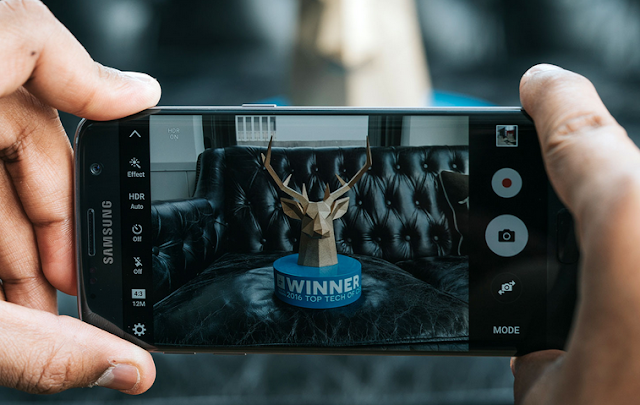
How to Recover Lost/Deleted Photos from Samsung S7/S7 Edge:
We can show you this Samsung Data Recovery which can easily and safely recover delete or lost data including contacts, text messages, videos, photos, call logs, music, whatsapp messages from Samsung Galaxy S7/S7 Edge.
More info:
Method to Recover Deleted Photos from S7/S7 Edge
Â

How to Transfer Contacts from HTC/LG to Note 5
The Samsung Galaxy Note 5 brings a huge redesign to the Note series: it adopts the glass and metal styling of the Galaxy S6, but in a larger, 5.7" form factor, and it features the signature S Pen stylus. The Note 5 sports the 14nm Exynos 7420 octa-core system chip with a whopping 4GB of LPDDR4 RAM.
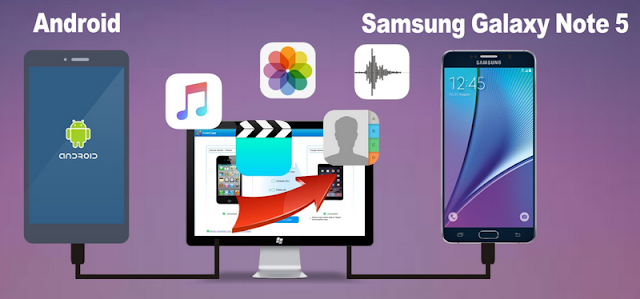
So, when you got a new samsung galaxy note 5, you may want to sync those important coantacts from your old HTC/LG to samsung galaxy note 5, how can i transfer contacts from htc/lg to samsung note 5?
Mobile Transfer can solve the problem to transfer contacts from LG/HTC to Samsung Galaxy Note 5, what's more, mobile transfer can also transfer text messages, videos, photos, call logs, calendar, music from htc/lg to samsung galaxy note 5.
You need three easy steps to transfer contacdts from lg/htc to samsung galaxy note 5:
Step 1: Download and install the Mobile Transfer on your computer
Step 2: Connect both your htc/lg and samsung note 5 to the pc
Step 3: Select contacts and transfer them to note 5
More steps details:
How to Transfer Contacts from HTC/LG/Sony/Huawei to Note 5
How to Recover Lost Data from Note 5

